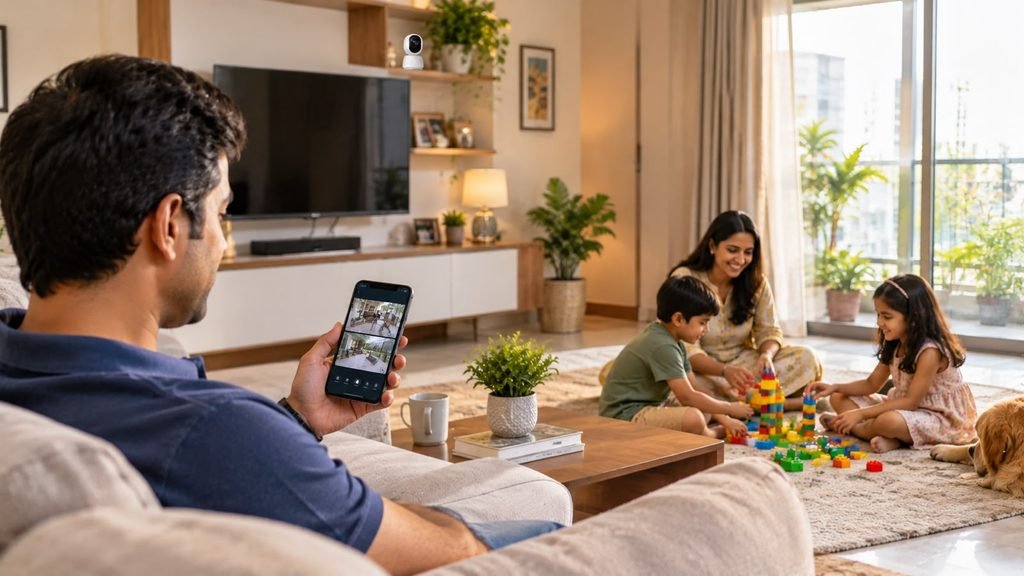
Introduction: The Aisle Problem
After ten years of blogging, I’ve seen the same pattern in every product niche. People don’t struggle because there’s too little information. They struggle because there’s too much of it, and most of it is selling something. CCTV is a perfect example. One page says 4K is essential, another pushes cloud plans, and a third says Wi-Fi cameras are all you need.
So here’s the honest version. If you’re wondering how to choose best cctv camera for home, you don’t need the most expensive camera. You need the right camera for each spot, a recording setup that actually works and a plan for power, internet and privacy.
In this guide we’ll walk through a simple framework, camera types, features that matter, what to pay, mistakes to avoid and a comparison of ten popular home camera brands at the end.
How to Choose Best CCTV Camera for Home: My 7-Step Framework
Whenever a friend asks me how to choose best cctv camera for home, I give them these seven steps in order:
- Decide your goal: deterrence, evidence, live monitoring or all three.
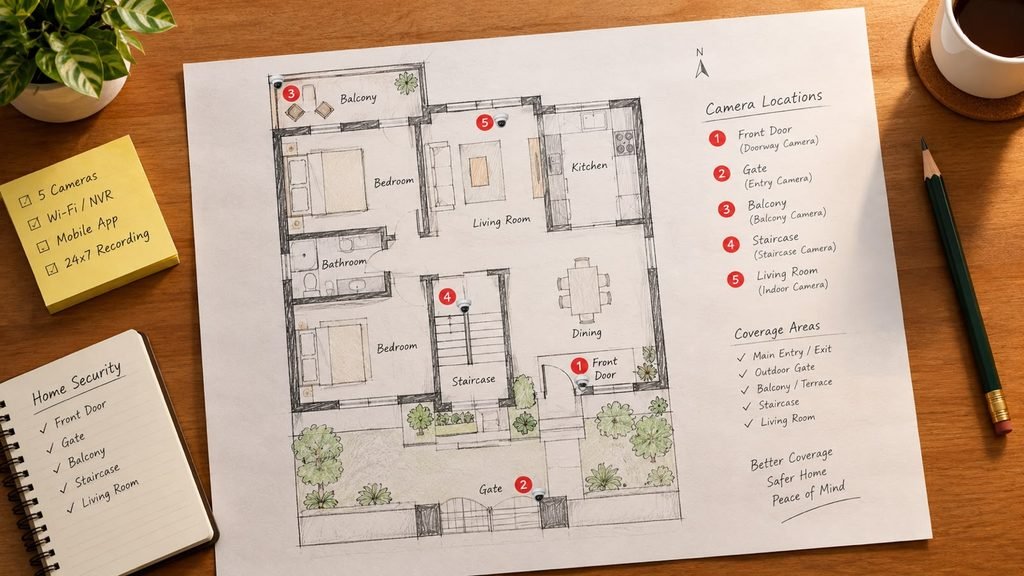
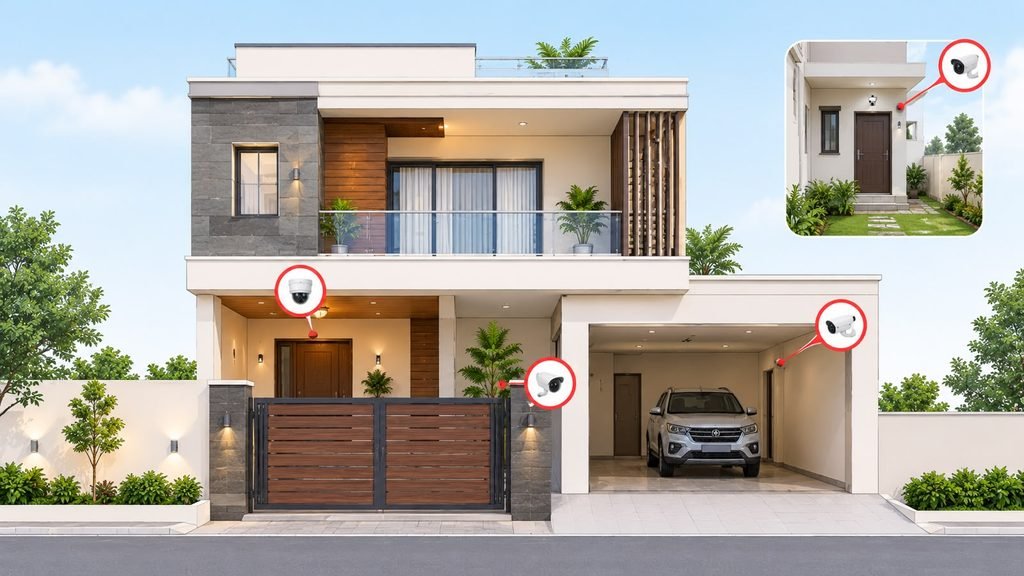
- Map your spots: entrance, gate, parking, balcony, stairs, living areas.
- Pick the camera type for each spot (wired, Wi-Fi, doorbell, PTZ).
- Set resolution and night vision to match what you need to identify.
- Choose storage: local disk, memory card or cloud, and how many days.
- Plan power and internet backup so it keeps working in outages.
- Check app quality, support and warranty before you buy.
Skip a step and you’ll likely overspend on one feature while a basic need goes unmet.
Step 1: Start With Your Real Risk, Not the Spec Sheet
The right answer to how to choose best cctv camera for home depends on what worries you.
- Burglary and delivery theft: Focus on entrance, gate and ground-floor windows.
- Domestic help or kids at home: Indoor cameras in common areas, with clear privacy limits.
- Elderly parents living alone: Wide-angle indoor cameras with two-way audio and motion alerts.
- Pets: Indoor cameras with pan and tilt, and a good app.
- Parking and vehicle safety: Outdoor cameras with strong night vision and wide dynamic range.
Write this down before you look at products. It keeps you from buying a feature-heavy camera that doesn’t fit your actual need.
Camera Types Explained in Plain Language
Understanding types is the core of how to choose best cctv camera for home.
Wired analog HD (AHD/TVI) with a DVR: Budget-friendly and reliable. It works well in homes with existing coax cabling.
Wired IP cameras with PoE and an NVR: One cable carries power and video. Sharper images, easier expansion. My default for new builds or renovations.
Wi-Fi cameras: Plug in and connect to your router. They’re ideal for renters and indoor spots, but depend on signal strength and your internet.
Battery or solar cameras: Easy to place where wiring is hard. Battery life and recording behaviour vary, so read the fine print.
Video doorbell cameras: Great for visitors and parcels. Check whether they need a wired transformer or run on a battery.
PTZ cameras: Pan, tilt and zoom. Useful for large gardens or parking areas, but overkill for a small flat.
Dome vs bullet: Domes are discreet and tamper-resistant. Bullets are visible deterrents with longer reach.
Wired vs Wi-Fi: The Decision Most Homes Get Stuck On
| Factor | Wired (DVR or NVR) | Wi-Fi cameras |
|---|---|---|
| Reliability | Very high, as it doesn’t depend on Wi-Fi | Depends on signal and router |
| Installation | Needs cabling, usually a professional | Easy, often DIY |
| Storage | Local hard disk, many days | Memory card or cloud |
| Best for | Houses, villas, long-term setups | Flats, rentals, indoor use |
| Power cut behaviour | Works with a UPS | Stops if router or camera loses power |
My rule of thumb: wired for the outside and main entrances, Wi-Fi for flexible indoor spots. If you’re deciding how to choose best cctv camera for home for a house you own, wired outdoors is usually the strongest base.
Resolution, Night Vision and Field of View
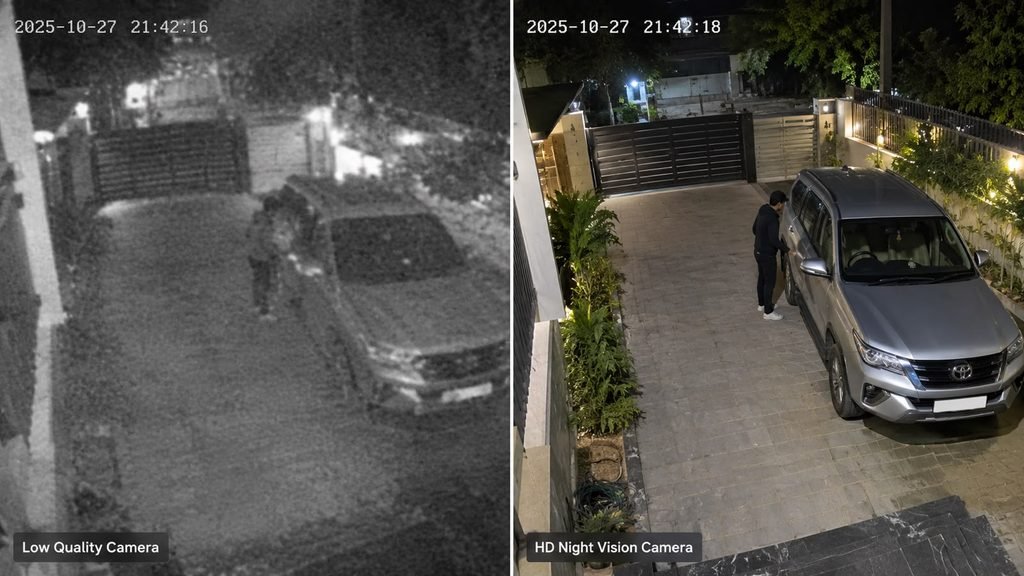
Resolution: 2MP (1080p) is the practical minimum. Choose 4MP or higher where you want to read number plates or identify faces at a distance. More megapixels also mean more storage and bandwidth.
Night vision: Infrared works in total darkness but gives black-and-white images. Colour night vision uses a small light or a more sensitive sensor, and helps identify clothing and vehicle colour.
Field of view: Wide lenses (around 100 to 130 degrees) cover more area but make distant details smaller. Choose narrower lenses for gates and long driveways.
Wide Dynamic Range (WDR): Helps when a bright background, like sunlight at a doorway, washes out faces.
Weatherproofing: For outdoor use in Indian summers and monsoons, look for IP66 or better.
Storage: Where Your Footage Actually Lives
Storage decides whether you have evidence when you need it.
- Local hard disk (DVR or NVR): Best value for many days of footage. Use a surveillance-grade disk.
- Memory card in the camera: Convenient but limited. Cards wear out, and footage can be lost if the camera is stolen.
- Cloud storage: Protects footage if the device is damaged or stolen, but usually involves a monthly or yearly subscription.
- Hybrid: Local recording plus cloud backup for key cameras. A good balance for many homes.
Most homes aim for around 7 to 15 days of footage. Higher resolution and more cameras mean you’ll need a bigger disk. Whichever you pick, test playback monthly. A recorder can look fine while recording nothing.
Features That Are Worth Paying For (and Ones That Aren’t)
Worth it for most homes:
- Person and vehicle detection, which cuts false alerts from shadows and insects
- Two-way audio, especially at the door or for elderly care
- Reliable mobile app with clear notifications and easy playback
- Local storage option, not cloud-only
- Privacy controls, such as scheduled off times or privacy masks
- Power backup compatibility (UPS)
Often overrated:
- Extreme resolution you won’t use
- Dozens of AI “smart” modes that nobody turns on
- Cloud plans you don’t need if local storage is enough
- Decorative design with a poor app or weak warranty
When I explain how to choose best cctv camera for home to readers, the app experience is the feature that surprises them most. A camera you can’t easily use isn’t a good camera.
How Much Should You Budget?
Prices change by brand, offers and installation complexity, so treat these as rough planning ranges only.
| Setup | Typical scope | Rough budget (INR) |
|---|---|---|
| Single Wi-Fi indoor camera | Basic 2MP with memory card | ₹1,500 to ₹4,000 |
| Single outdoor Wi-Fi camera | Weatherproof, colour night vision | ₹3,000 to ₹8,000 |
| Video doorbell camera | Two-way audio, app alerts | ₹4,000 to ₹12,000 |
| 4-camera wired home system (installed) | Disk, cable, power, labour | ₹12,000 to ₹25,000 |
| 6 to 8 camera system for a house | 2 TB storage, quality cabling | ₹30,000 to ₹70,000 |
Remember to include cables, power supplies, a hard disk, a UPS and installation labour in wired systems. A cheap camera with weak cabling and a small disk costs more in the long run than a slightly pricier, well-installed one.
9 Mistakes I See Again and Again
- Buying by megapixels alone, ignoring lens, sensor and night performance.
- Pointing cameras at bright backgrounds, such as sunrise or streetlights.
- Skipping the UPS, so footage stops during power cuts.
- Using the default password on the recorder or app.
- Placing cameras too high or too low, so faces aren’t captured well.
- Relying on Wi-Fi for everything, including far corners with weak signal.
- Ignoring subscription costs until the free trial ends.
- Putting indoor cameras in private spaces, like bedrooms and bathrooms.
- Never checking playback.
Avoid these nine and you’ve already improved on most home setups.
Where to Place Cameras at Home
- Front door and main entrance: Mount around 8 to 10 feet high, angled to see faces.
- Gate and driveway: A narrower lens helps capture number plates.
- Back door and ground-floor windows: Common entry points for intruders.
- Parking area: Strong night vision and wide dynamic range help.
- Staircase and balcony: Useful for multi-storey homes.
- Living areas (optional): Only with the family’s knowledge, and never in bedrooms or bathrooms.
Privacy, Security and Legal Basics
Good guidance on how to choose best cctv camera for home must include this.
- Don’t point cameras at neighbours’ windows or private spaces.
- Avoid bedrooms, bathrooms and changing areas.
- Change default passwords, use a strong one and enable two-factor authentication where available.
- Keep firmware updated.
- Be careful with domestic staff: Tell them if there are cameras in common areas.
- Check your society’s rules if you want to cover shared spaces.
Rules and local requirements change, so check current norms for anything beyond your own property. This is general guidance, not legal advice.
DIY or Professional Installation?
For one indoor camera, a doorbell or a basic Wi-Fi setup, DIY is fine. For outdoor cameras, long cable runs, PoE switches, multi-floor homes and weatherproofing, I recommend a professional. Poor cable joints, wrong angles and exposed connectors cause most failures.
If you do hire someone, apply the same logic as buying: ask for an itemised written quote with camera and recorder models, hard disk size, cable type, a warranty and a GST invoice with serial numbers.
Top 10 Home CCTV Camera Brands Compared
Please read this first. I haven’t tested these cameras myself, and I didn’t find a verified independent ranking, so this table is based on general market knowledge, not lab testing. It compares ten brands you’ll commonly see for homes in India, and it isn’t a ranking. Models, prices, warranty terms and regulatory status change often, so check the current model, reviews and compliance with Indian rules before you buy.
| # | Brand | Type | Best for | Strength | Watch-out |
|---|---|---|---|---|---|
| 1 | CP Plus | Indian brand, wired and Wi-Fi ranges | Homes, shops | Wide availability and dealer support | Service quality depends on the dealer |
| 2 | Hikvision | Global brand, wired systems | Houses, villas | Broad range and strong value | Check current certification and compliance |
| 3 | Dahua | Global brand, wired systems | Houses, small businesses | Wide range, good low-light options | Same compliance check as above |
| 4 | EZVIZ | Consumer line of a global brand | Wi-Fi and battery cameras | Easy app, simple setup | Cloud features may need a subscription |
| 5 | Imou | Consumer line of a global brand | Budget Wi-Fi cameras | Affordable range, simple use | Compare features and warranty carefully |
| 6 | TP-Link Tapo | Global networking brand | Indoor and outdoor Wi-Fi cameras | Popular, easy to set up, wide range | Depends on your Wi-Fi quality |
| 7 | Qubo | Indian smart-home brand | Renters, smart-home users | Home-focused design and apps | Check storage and subscription options |
| 8 | Godrej Security Solutions | Indian brand | Homes, premium buyers | Strong brand trust, wider security portfolio | Usually priced above budget options |
| 9 | Reolink | Global brand, PoE and battery models | Tech-savvy homeowners | Local storage focus, wired and wireless range | Check Indian service and warranty support |
| 10 | Xiaomi (Mi Home Security) | Global brand | Budget indoor Wi-Fi cameras | Low price, simple use | Fewer outdoor options, check current availability and support |
My take: For a house you own, a wired system from a mainstream brand like CP Plus, Hikvision or Dahua, installed properly, is the strongest base. For flats, rentals or flexible indoor coverage, Wi-Fi brands like Tapo, EZVIZ, Imou or Qubo are practical. For premium service and brand trust, Godrej is worth a quote. The honest answer to how to choose best cctv camera for home is that installation quality, storage and support matter as much as the brand on the box.
Frequently Asked Questions
1. How to choose best cctv camera for home on a small budget?
Start with one good outdoor camera at your main entrance and one indoor Wi-Fi camera for common areas. Expand later. Don’t spread a small budget across many weak cameras.
2. Is a Wi-Fi camera enough for my home?
For a flat or indoor use, often yes. For a house with outdoor coverage, wired cameras are more reliable. A mix works well.
3. How many days of footage should I store?
Most homes aim for 7 to 15 days. Higher resolution and more cameras need a larger hard disk.
4. Do I need a subscription?
Not always. Many systems record locally on a card or hard disk. Check what’s free and what needs a plan before you buy.
5. Is 4K necessary when learning how to choose best cctv camera for home?
Usually not. 2MP to 4MP is enough for most homes. Go higher only where you need to read number plates or identify faces at a distance.
Final Thoughts
Buying a home camera isn’t about chasing the biggest number on the box. It’s about matching the right camera to each spot, giving it reliable power, storage and a good app, and keeping an eye on privacy and security.
If you remember one thing about how to choose best cctv camera for home, make it this: decide your risks first, then choose cameras, storage and installation to match, and test playback regularly. A modest, well-installed system beats an expensive, neglected one every time.
Google will keep changing its algorithms and camera technology will keep improving, but these basics stay the same. I hope this guide helps you decide how to choose best cctv camera for home with confidence.