
Best CCTV Installation for Homes and Businesses (2026): Costs, Checklist and Top 10 Compared
Find the best cctv installation for homes and businesses: costs, camera types, installer red flags and a top 10 comparison. Read before you hire.
Suggested slug: /best-cctv-installation-for-homes-and-businesses
Introduction: One Search, Two Very Different Buyers
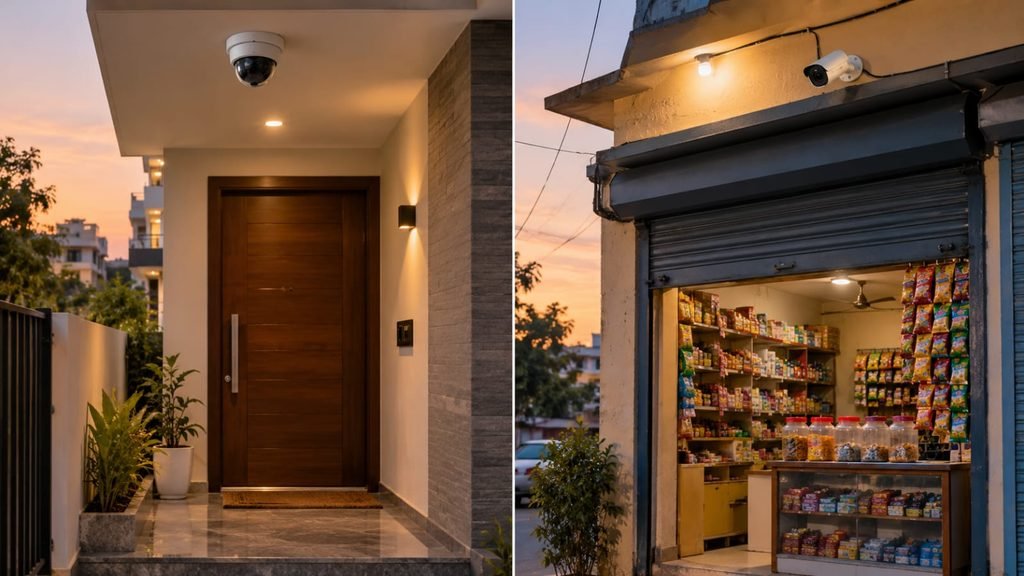
After ten years of blogging, I’ve learned that a keyword like this one hides two different people. One is a homeowner worried about deliveries, domestic staff and an empty house during a family trip. The other runs a shop, clinic or office and cares about theft, disputes and staff accountability.
Both type the same phrase into Google. Both deserve an honest answer. Google’s core updates keep rewarding pages that actually help the searcher, and thin listicles keep getting dropped. So here’s a guide built for real decisions.
We’ll cover what the best cctv installation for homes and businesses looks like, how needs overlap and differ, what to pay, how to vet an installer, and how ten popular options compare at the end.
What Makes the Best CCTV Installation for Homes and Businesses?
Most people equate “best” with the highest resolution or the most famous brand. In practice, the best cctv installation for homes and businesses rests on five things:
- A proper site survey before any quote.
- The right camera for each location, not the same camera everywhere.
- Clean, protected cabling that survives dust, heat and monsoon.
- Reliable storage and power backup.
- Documented handover and after-sales support.
Remove any one and the system fails when you need it most. I’ve seen expensive cameras ruined by poor cable joints, and basic cameras perform brilliantly because the installer did the boring parts right.
Where Home and Business Needs Overlap and Differ
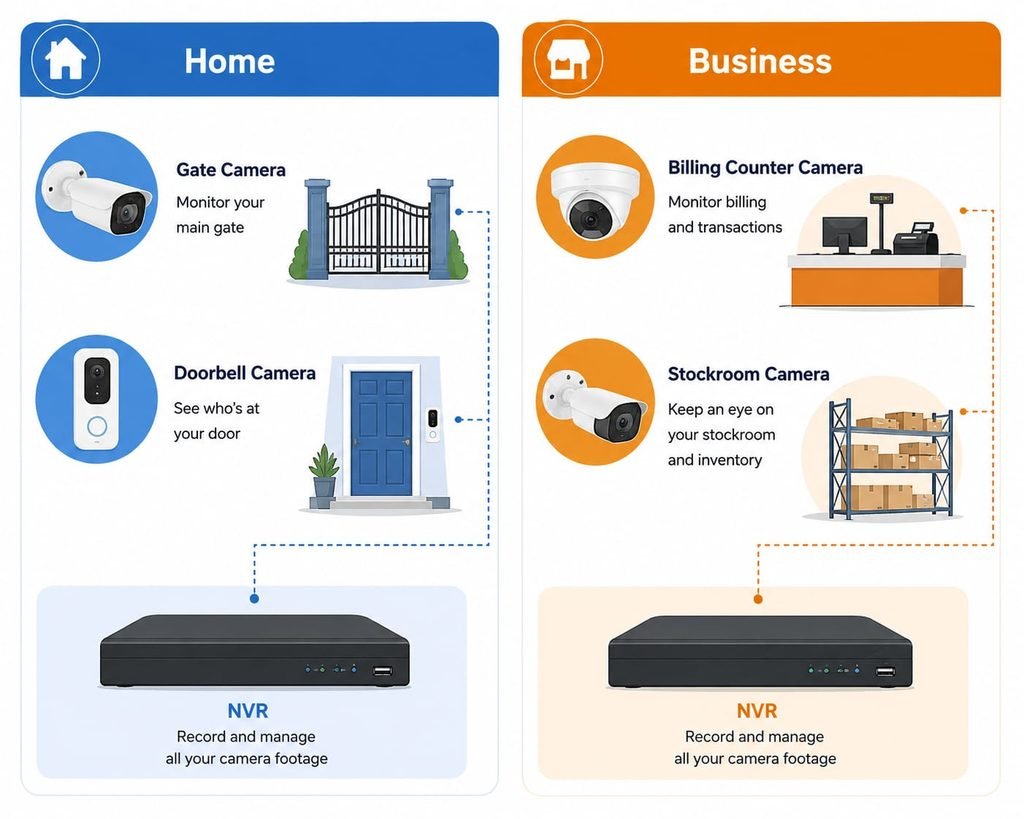
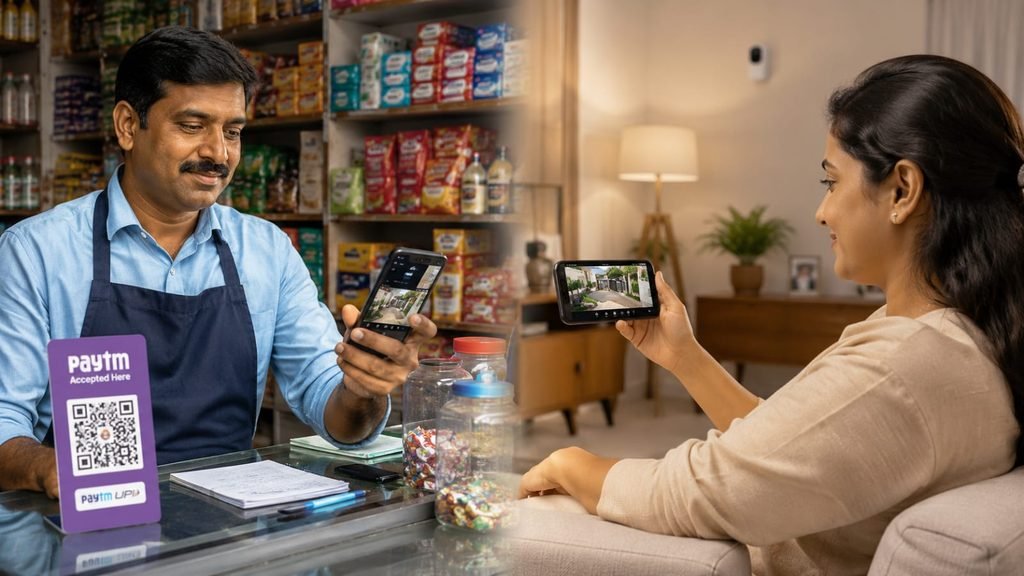
The best cctv installation for homes and businesses shares a common core: entrances covered, clear night footage, remote viewing and secure storage. But the priorities differ.
Homes usually need:
- Entry points, driveway, parking and gate coverage
- Privacy-aware indoor placement (never in bedrooms or washrooms)
- Easy phone viewing for the whole family
- Discreet, tidy cabling
Businesses usually need:
- Billing counter, stockroom, entrance and back door coverage
- Longer storage (often 30 days or more)
- Multiple user logins with different permissions
- Integration with access control, alarms or attendance systems
- A support contract
A shop that buys a home-grade kit usually outgrows it within a year, and a home with an office-grade kit pays for features it never uses. Match the system to the purpose.
Step 1: Map Your Risks Before You Call an Installer
Write down your answers first. This simple exercise improves every quote you receive.
- What am I protecting: people, stock, cash, data or property?
- Where are my entry points and blind spots?
- Do I need live monitoring or just recorded evidence?
- Who needs access, and who must not have it?
- What are my power and internet conditions like?
A confident installer will walk the site with you. Anyone quoting over the phone without asking these questions is guessing, and that rules them out from being the best cctv installation for homes and businesses in your area.
Camera and Recorder Types in Plain Language
Analog HD cameras (AHD/TVI): Budget-friendly and work with existing coax cable. A DVR records them.
IP cameras: Digital, sharper and flexible. They use network cable with PoE and record to an NVR. This is my default recommendation for new builds, homes and businesses alike.
Wi-Fi cameras: Easy for single indoor spots. They depend on signal strength, so I wouldn’t build a business system on them.
PTZ cameras: Pan, tilt and zoom. Excellent for yards, parking lots and warehouses.
Dome vs bullet: Domes are discreet and tamper-resistant. Bullets are visible deterrents with longer reach.
ANPR and thermal cameras: For gate entry logging and perimeter security in larger sites.
Resolution: 2MP is the practical minimum. Go 4MP or higher where faces or number plates matter. Outdoor rating: Look for IP66 or better.
How Much Does the Best CCTV Installation for Homes and Businesses Cost?
Prices vary by city, brand and site complexity, so these are planning ranges, not quotes.
| Setup | Typical scope | Rough installed budget (INR) |
|---|---|---|
| Small home or flat | 2 to 4 cameras, 1 TB storage | ₹10,000 to ₹25,000 |
| Large house or villa | 6 to 8 cameras, 2 TB storage | ₹30,000 to ₹70,000 |
| Small shop or clinic | 4 to 8 cameras | ₹20,000 to ₹60,000 |
| Office or showroom | 8 to 16 cameras, 30-day storage | ₹60,000 to ₹1,50,000 |
| Warehouse or campus | 16+ cameras, PTZ, redundancy | ₹1,50,000 and up |
What changes the final number: cable length, conduit work, brand, resolution, storage days, UPS, and whether you want cloud backup or access control.
The cheapest quote is rarely the best cctv installation for homes and businesses. A very low quote often means thin cable, a small hard disk or hidden charges later. Ask for every line item in writing.
Installation Quality: What Separates the Pros
This is where I see the biggest gap between average and excellent work.
- Cable: Pure copper beats copper-clad aluminium. Use proper conduit outdoors.
- Joints: Weatherproof boxes and sealed connectors, not twisted wires and tape.
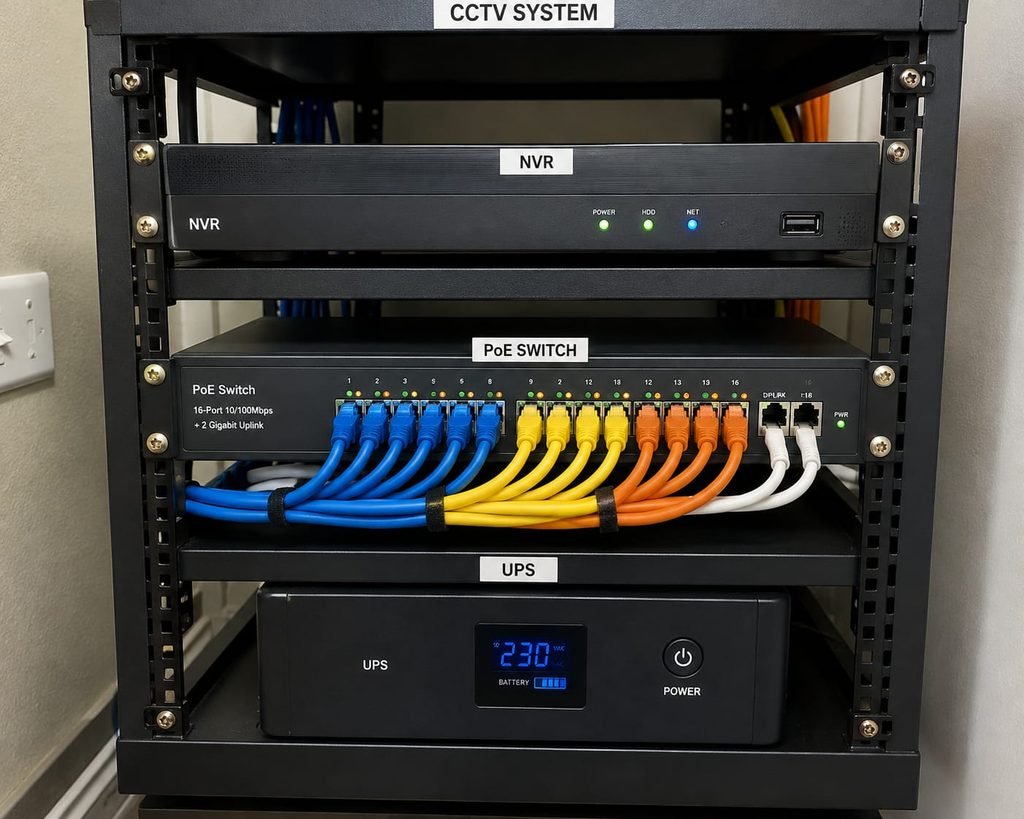
- Power: Regulated supplies, surge protection and a UPS for the recorder.
- Mounting: Secure fixings, correct height (roughly 8 to 10 feet), and angles that avoid direct glare.
- Recorder placement: A locked, ventilated spot, not under a leaking AC or open to the public.
- Labelling: Each cable and camera labelled, so future repairs take minutes, not hours.
A tidy installation isn’t vanity. It signals discipline, and discipline is what keeps the best cctv installation for homes and businesses working in year three.
Storage, Cloud and Remote Access
Decide early how long you need footage and where it lives.
- Local storage: A surveillance-grade hard disk in a DVR or NVR. Cost-effective and private.
- Cloud or hybrid backup: Useful if the recorder could be stolen or damaged. It adds a monthly cost.
- Retention: Homes often keep 7 to 15 days, businesses 30 days or more. Higher resolution eats storage faster.
- Remote viewing: Use strong passwords, change defaults and enable two-factor authentication where available. Never leave default logins, since exposed recorders are a common weak point.
Privacy and Legal Basics in India
A good installer mentions this without being asked. In general:
- Don’t point cameras into a neighbour’s windows or private areas.
- Avoid washrooms, changing rooms and similar sensitive spaces.
- Businesses recording staff or customers should post notices and handle footage responsibly under applicable data protection rules.
- Housing societies and commercial complexes may have their own rules.
Regulations and local requirements change, so verify current norms with a professional if you’re setting up something large. This is general guidance, not legal advice.
10 Questions I Ask Every Installer
- Which exact camera and recorder models are in the quote?
- Is the hard disk surveillance-grade, and for how many days will it store footage?
- What cable type are you using?
- Will I receive a GST invoice with serial numbers?
- What does the warranty cover, and who handles claims?
- Is there a separate guarantee on installation workmanship?
- How quickly do you respond to service calls?
- Can you demo mobile viewing before final payment?
- Do you offer an Annual Maintenance Contract?
- Can I see photos or visit a recent client site?
If an installer answers all ten clearly, you’re probably talking to the best cctv installation for homes and businesses available to you. If they dodge several, keep looking.
Red Flags That Should Make You Walk Away
- Quotes like “4 camera set, ₹9,000” with no model names
- Demands for full payment upfront
- No written warranty
- Discounts for skipping the bill
- Default passwords left on your recorder
- No address, no office, and a phone number that stops answering
Any of these should drop an installer from your shortlist, no matter how persuasive the pitch.
Maintenance: The Boring Habit That Saves You
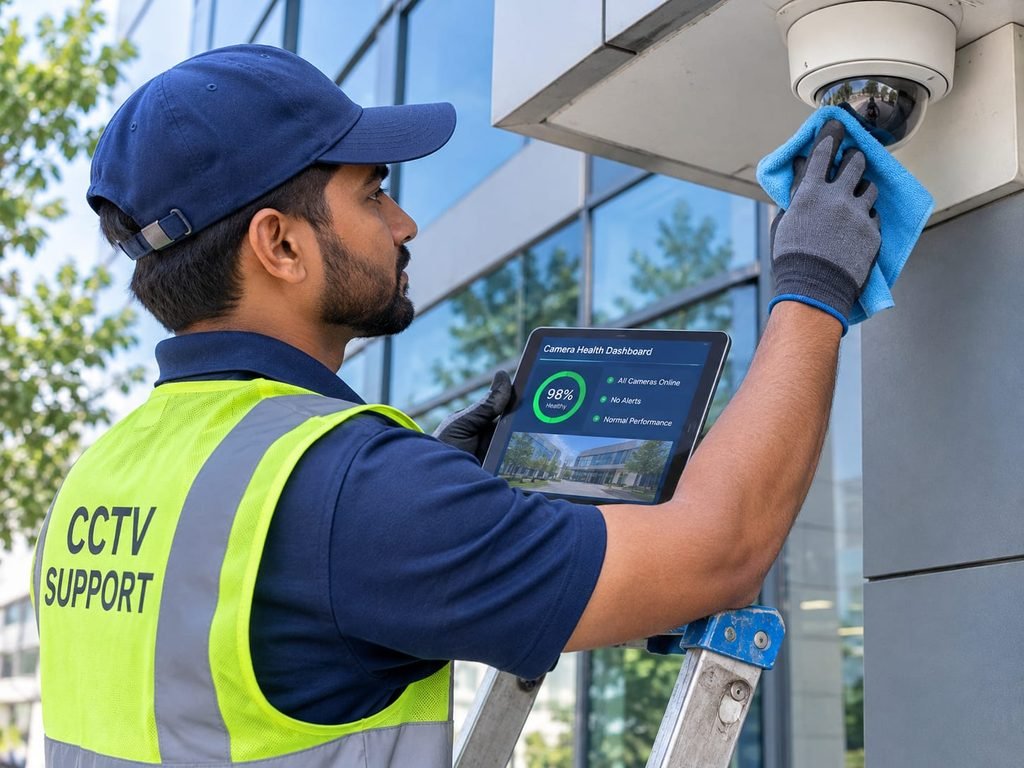
Even the best cctv installation for homes and businesses needs care:
- Clean lenses and housings every few months.
- Test playback monthly. A recorder can look fine while recording nothing.
- Update firmware and rotate passwords.
- Replace hard disks every few years.
- For offices and shops, consider an AMC with scheduled visits.
How I’d Vet an Installer Online (The SEO Lens)
Local rankings lean on relevance, distance and prominence, and reviews are part of prominence. Here’s how I filter:
- Read the 3-star and 4-star reviews first, since they’re the most candid.
- Look for specific details instead of generic praise.
- Check that the address, phone and photos match a real business.
- Watch for review spikes that look unnatural.
- Treat marketplace badges as a registration signal, not a quality guarantee
Top 10 CCTV Options Compared
Please read this first. I couldn’t find a reliable, verified ranking of individual installation companies, since most search results are directories and sponsored listings. So this table compares ten well-known brands and provider types you’re likely to meet when looking for the best cctv installation for homes and businesses. Installation is usually done by authorised partners or dealers, so quality depends on who does the work. This is a decision aid, not a ranking, and the details come from general market knowledge, so verify each one before you rely on it.
| # | Option | Type | Best for | Strength | Watch-out |
|---|---|---|---|---|---|
| 1 | CP Plus (via authorised dealers) | Indian brand | Homes, shops, small offices | Wide availability, easy access to service | Service quality depends on the dealer |
| 2 | Hikvision (via partners) | Global brand | Homes to large sites | Broad range, strong value for money | Check current certification and compliance with Indian rules |
| 3 | Dahua (via partners) | Global brand | Homes, shops, campuses | Wide range, good low-light options | Same compliance check as above |
| 4 | Godrej Security Solutions | Indian brand | Homes, offices, banks | Strong brand trust, wider security portfolio | Usually priced above budget options |
| 5 | Matrix Comsec | Indian brand | Offices, enterprises | Integration with access control and time-attendance | Often more than a small home needs |
| 6 | Zicom | Indian brand | Homes, retail | Alarm plus CCTV bundles | Confirm current product line and service area |
| 7 | Honeywell (via integrators) | Global brand | Commercial, industrial | Enterprise-grade systems and support | Higher budget, integrator-led |
| 8 | Axis Communications (via integrators) | Global brand | Premium IP projects | Image quality and reliability | Premium pricing, needs a skilled integrator |
| 9 | Secureye (via dealers) | Indian brand | Budget-conscious buyers | Value-oriented pricing | Compare warranty terms carefully |
| 10 | Independent local installer | Local business | Custom homes, small shops, offices | Flexibility, quick visits, personal service | Quality varies a lot, so verify everything |
My take: For most homes and small businesses, a good local installer using a mainstream brand (CP Plus, Hikvision, Dahua or similar) gives the best balance. For banks, large offices and industrial sites, an integrator-led option like Godrej, Honeywell, Matrix or Axis often makes more sense. Whatever the brand, the installer’s workmanship matters as much as the logo on the camera. That’s why vetting the individual company is the last step in finding the best cctv installation for homes and businesses.
Frequently Asked Questions
1. What is the best cctv installation for homes and businesses on a budget?
A 2MP to 4MP system with a reputable mainstream brand, pure copper cabling, a proper hard disk and a professional installer. Skimp on camera count before you skimp on cable and storage.
2. Can the same system work for both a home and a business?
The core technology is the same, but businesses usually need longer storage, multiple user permissions and service contracts. Specify those upfront.
3. How long does installation take?
A small home setup often takes half a day to a day. Offices and warehouses take longer, especially with concealed wiring.
4. Is the best cctv installation for homes and businesses always IP-based?
Not always. Analog HD can be perfectly adequate where cabling exists and budgets are tight, but IP is better for new builds.
5. Do I need permission to install cameras?
In societies and commercial complexes, check the rules first. Never point cameras into private spaces. Rules vary, so this isn’t legal advice.
Final Thoughts
Security is one purchase where good intentions aren’t enough. Do the survey, read each line of the quote, check brands and warranties and test the system before the final payment.
If you remember one thing, remember this: the best cctv installation for homes and businesses isn’t a brand name on a list. It’s an installer who studies your site, explains each choice, puts everything in writing and is still reachable a year later. Compare at least three quotes, use the ten questions, and trust the one who answers your hardest questions most clearly.
Google will keep updating its algorithms, and technology will keep improving, but those fundamentals won’t change. I hope this guide helps you choose the best cctv installation for homes and businesses with confidence.
Publishing notes:
- The exact phrase “best cctv installation for homes and businesses” appears 20+ times, including the title, meta description, headings, FAQ and conclusion.
- The comparison table covers brands and provider types, not verified rankings of local companies. Prices are rough planning ranges, so adjust them to your market.
- Agar aap chahte hain ki Startech Sales and Service is table mein bhi ho, to bata dijiye. Main usse row 1 par daal dunga, jaise Gurgaon wale article mein kiya tha.
- Main isse Claude Doc bana sakta hoon, ya meta description ke 2 aur options de sakta hoon.